Management
Client portal access
Alongside your trainer app there is a separate Client App. There your clients see their sessions, their credit and their invoices, book for themselves and check in with a QR code. Access isn't there automatically — you invite each client deliberately, and you can revoke that access again just as deliberately. If a client works with more than one trainer on TrainerFoundry, each trainer invites and revokes only their own access — it never touches the client's access with anyone else.
The "App access" column
A dedicated column in the client list shows where every client stands:
- Not invited — The client exists in your CRM but knows nothing about the app yet. The starting state.
- Invited — The invitation is on its way; the client hasn't accepted it yet.
- App active — The client uses the app and can see their own sessions and credit.
- Access revoked — Access has been ended. Inviting them again is possible at any time.
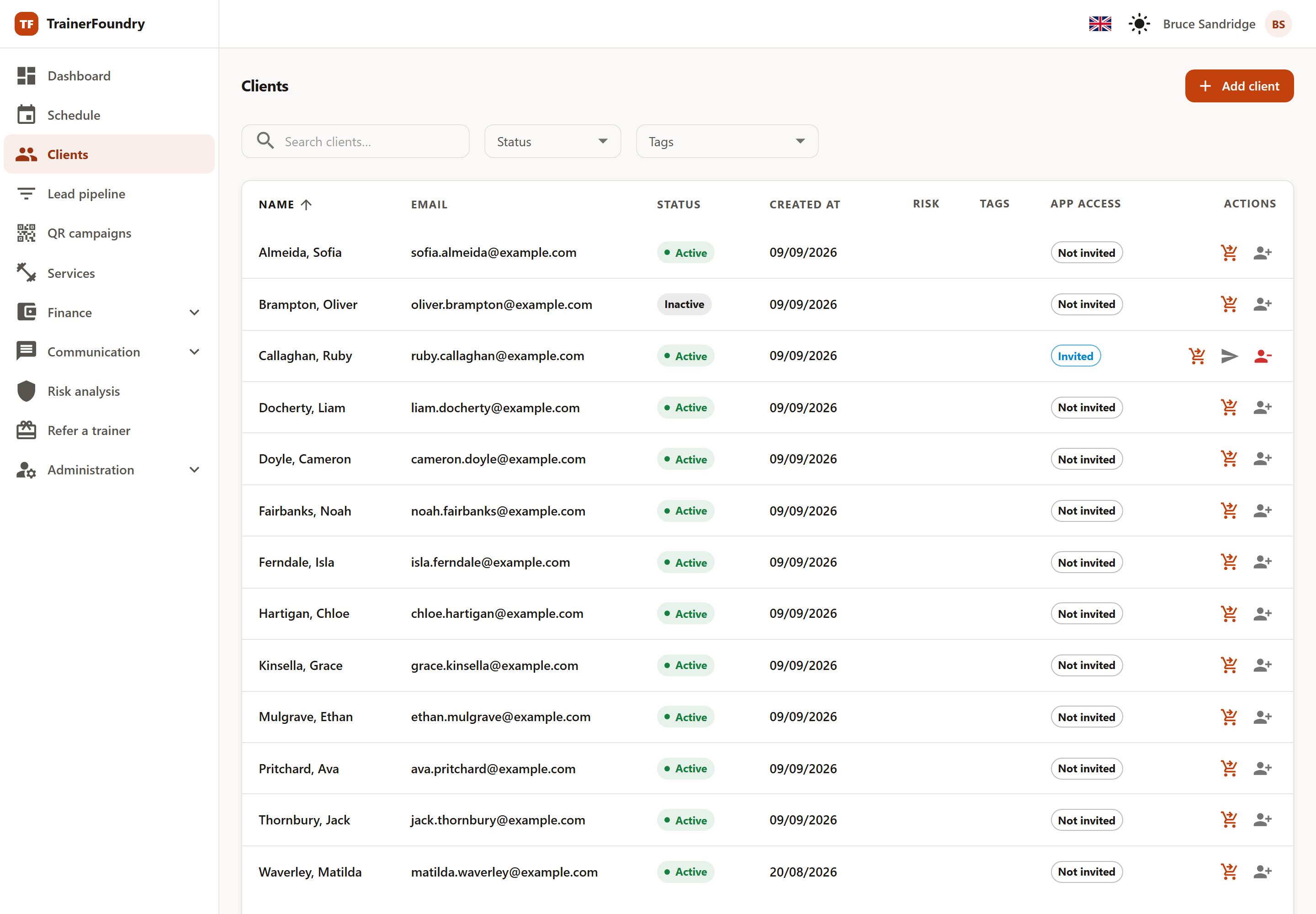
On the right of each row you'll find exactly the actions available in that state — invite, resend or revoke. The client-detail page shows the same state as a badge next to the name, with the same state-gated actions: Invite while Not invited or Access revoked, Resend and Revoke while Invited, and Revoke only once App active.
Inviting
Invite to app sends an email to the client's email address on file, with a link that lets them set their own password. Until they accept it, the client shows as Invited.
If a TrainerFoundry account already exists for that email address and has already set a password on it, the client is simply linked to it and can sign in right away — there's no password-setup step, since none is needed, but the client does get a short email letting them know they now have access and can open the app with their existing sign-in. The "App access" column, though, still shows Invited until they actually open the app for the first time — that first sign-in is what moves it to App active. If that same account exists but has never actually set a password — say, it was invited once, the access was revoked before they accepted, and you're inviting them again — inviting them behaves like Resend below: a fresh password-setup link goes out, not the "you now have access" notice. Either way, the client needs an email address on file first.
One sign-in always belongs to exactly one of your clients. If the email address already signs in as another of your clients — even one whose access you've since revoked — TrainerFoundry refuses the invite, sends nothing, and names the client that sign-in already belongs to, with a Go to client link. Usually it's the same person entered twice: carry on with the existing client. If the address really belongs to someone else, give the new client their own email address and invite them again. This applies to a first invite and to an invite after Revoke access alike.
If nothing arrives — full inbox, landed in spam — Resend invite helps. Before anything is sent, TrainerFoundry always checks first whether the client's own existing sign-in belongs to an account that owns or manages a TrainerFoundry organisation of its own — even yours. If it does, Resend refuses outright and never touches that sign-in at all, whether or not you're also correcting the address: that kind of account is never turned into a client login this way, and Revoke access doesn't change that — a fresh invite runs the same check again. Otherwise, as long as the client has never actually set a password, Resend always sends a fresh password-setup link to whatever email is currently on their profile — and if that differs from the address they'd have signed in with, Resend actually moves the sign-in itself: the old address stops working, and only the corrected one does from then on. That's safe, since no credentials are tied to the old one yet. Once they have set a password, Resend instead re-sends the "you now have access" notice — but only while the profile email still matches their sign-in email. If you've since corrected the profile email for a client who already has a working sign-in, Resend refuses: it won't silently move an existing login to a new address. Use Revoke access followed by a fresh invite instead — that always reaches the current address. Resend also refuses when the corrected address already belongs to a different account, telling you it's already in use. And if the client's login is shared with another trainer they also work with, Resend can't move it to a new address — TrainerFoundry points you to Revoke access and a fresh invite with the new address instead, which sets up a separate login just for you rather than touching the one they share. If the address isn't changing, though, Resend still sends the fresh link as normal despite the shared login — it just leaves the other trainer's existing link valid instead of superseding it the way an ordinary resend otherwise would. Once you've revoked access, the already-in-use and shared-login guards both step aside: a fresh invite afterwards simply follows the corrected address, whoever it belongs to — except when it belongs to a sign-in that owns or manages an organisation of its own, or already signs in as another of your clients, both as above; those guards still apply even after a revoke. Otherwise there's no existing login of this client's left to protect at that point.
Revoking access
When you stop working together, Revoke access ends the app access. A confirmation names the client and points out that they won't be able to sign in afterwards.
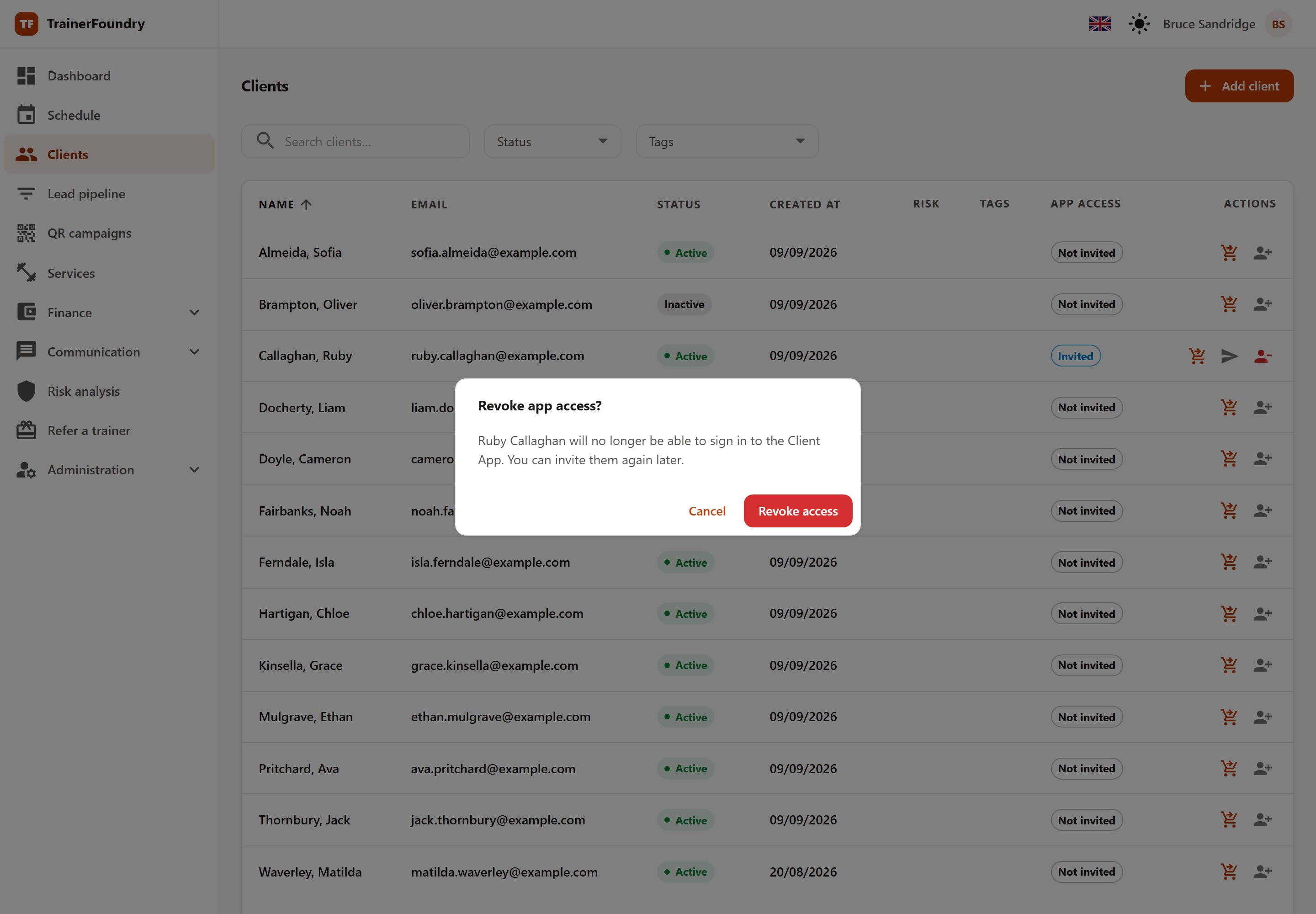
Revoking isn't deleting: the client's data — sessions, credit, payments, notes — stays with you in full. It only decides whether they can sign in to the app. And it isn't final either: a new invite switches access back on, reactivating the same client rather than starting over.